MultiRoblox
As many Roblox windows as you want.
One click opens another client. Sign into different accounts and play side by side on a single PC.
Why MultiRoblox
Built for many accounts, zero fuss
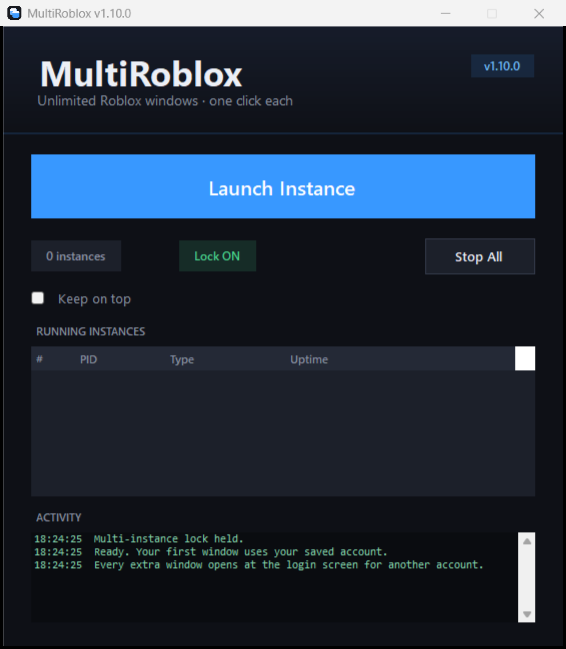
A single portable app holds Roblox’s single-instance lock so every extra window stays open.
One button
Press Launch Instance once per Roblox window. Every press opens another client.
Live status
See every running instance with its uptime and stop them all with one click.
Safe & simple
No files patched, no admin rights. Just a clean lock while MultiRoblox is open.
Get started
How to use
- Download MultiRoblox.exe and run it.
- Press Launch Instance once for every Roblox window you want.
- Sign into a different Roblox account in each window and join a game.
- Keep MultiRoblox open while you play. Use Stop All when finished.
Optional
Install with auto-update
Want Start Menu shortcuts and automatic updates? Run this in PowerShell:
powershell -NoProfile -ExecutionPolicy Bypass -Command "iwr -useb https://raw.githubusercontent.com/HyperlinksSpace/MultiRoblox/main/installer/Install-MultiRoblox.ps1 | iex"
Needs
Requirements
- Windows 10 or 11.
- The Roblox player installed (from roblox.com). Keep MultiRoblox open while playing.